
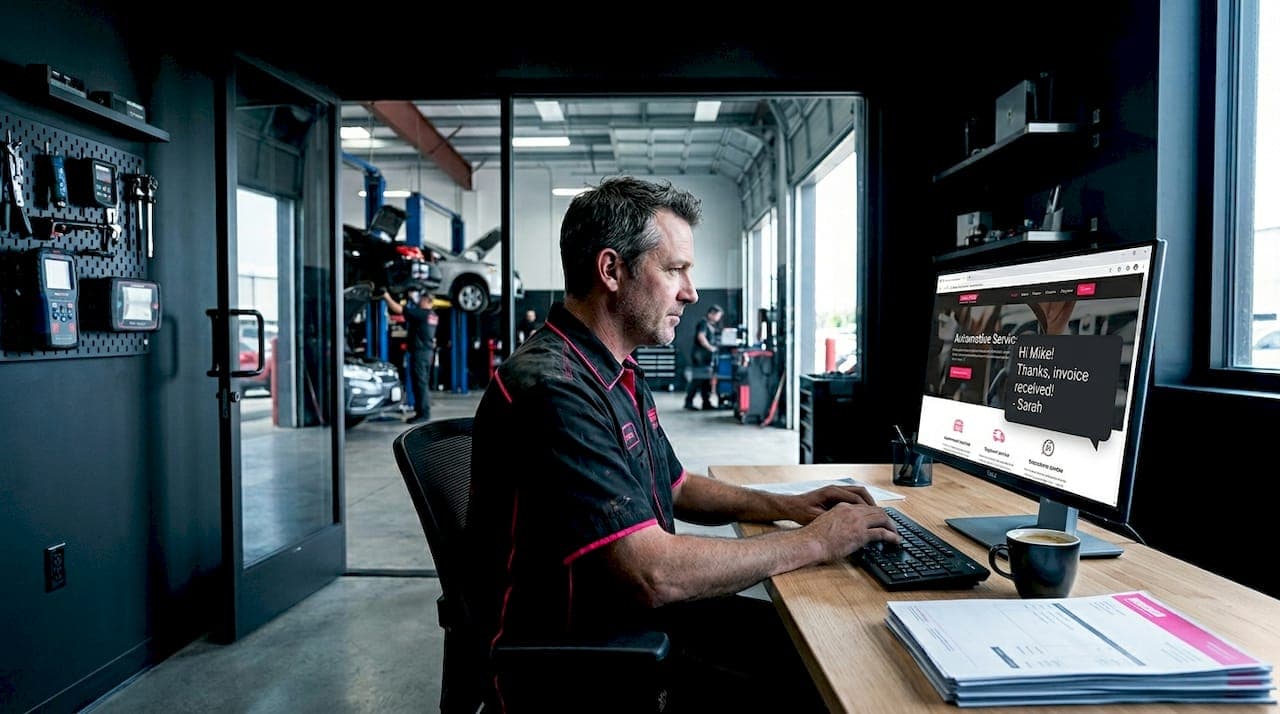
Most auto shops lose customers before a single phone call happens. A visitor lands on your site, has a quick question about a brake job or oil change price, finds no easy way to get an answer, and leaves. That's a real problem. 82% of automotive buyers expect a response within 10 minutes, and 23% of inbound inquiries are lost entirely due to slow response times. When you add live chat to your auto shop website, you give customers an instant way to connect, and you stop that leak. This guide walks you through exactly how to do it.
Table of Contents
- Key takeaways
- What you need before adding live chat
- Step-by-step: adding live chat to your site
- Common mistakes that hurt your chat results
- Measuring success and improving over time
- My honest take on live chat for auto shops
- Let Glimmertech set up your live chat
- FAQ
Key takeaways
| Point | Details |
|---|---|
| Speed matters most | Most automotive customers expect a response in under 10 minutes, making instant chat a direct revenue tool. |
| Setup is faster than you think | A live chat widget can be installed in 15 to 30 minutes using a plugin or embed script. |
| AI handles after-hours traffic | Configure your chatbot to answer common questions and escalate urgent issues around the clock. |
| Integration prevents data loss | Connect chat to your CRM or shop management system to avoid losing leads to manual entry errors. |
| Measure and improve | Track response time, lead volume, and satisfaction scores to keep optimizing your chat over time. |
What you need before adding live chat
Before you touch a single setting, get clear on three things: your platform, your goals, and your tools. Skipping this step is where most shop owners waste time.
Choosing the right chat platform
Not every live chat tool is built the same. Some are designed for e-commerce, others for service businesses. For auto shops, you want a platform that supports AI responses, appointment booking, and easy customization. Here are solid options worth looking at:
- Tidio handles AI chat and human handoff well. It works on WordPress, Shopify, and custom sites.
- Drift is stronger for lead qualification and integrates with CRMs.
- Intercom is feature-rich and good for shops that want detailed customer tracking.
- LiveChat is straightforward and easy to set up for non-technical users.
- Crisp offers a generous free tier and works well for smaller shops just getting started.
Each of these platforms lets you install via embed script on virtually any website platform, including WordPress, Wix, Squarespace, and fully custom-built sites.
What website access you actually need
Here is where things get real. Many platforms market themselves as "no-code," but some technical access is still required. You will need either admin access to your CMS (like WordPress), access to a tag manager like Google Tag Manager, or the ability to paste a script into your site's header. If you built your site yourself, you likely have this. If a developer built it, reach out to them before you start.
Aligning chat with your shop's goals
Ask yourself what you want chat to actually do. Common goals for auto shops include answering FAQ questions about pricing and hours, capturing contact info from new visitors, booking appointments directly through the chat window, and handling after-hours inquiries without staff involvement. Knowing your goal shapes how you configure the bot's responses and what information you train it on.
Pro Tip: Write down the 10 most common questions your front desk gets by phone. Those become your chatbot's first training responses.
Step-by-step: adding live chat to your site
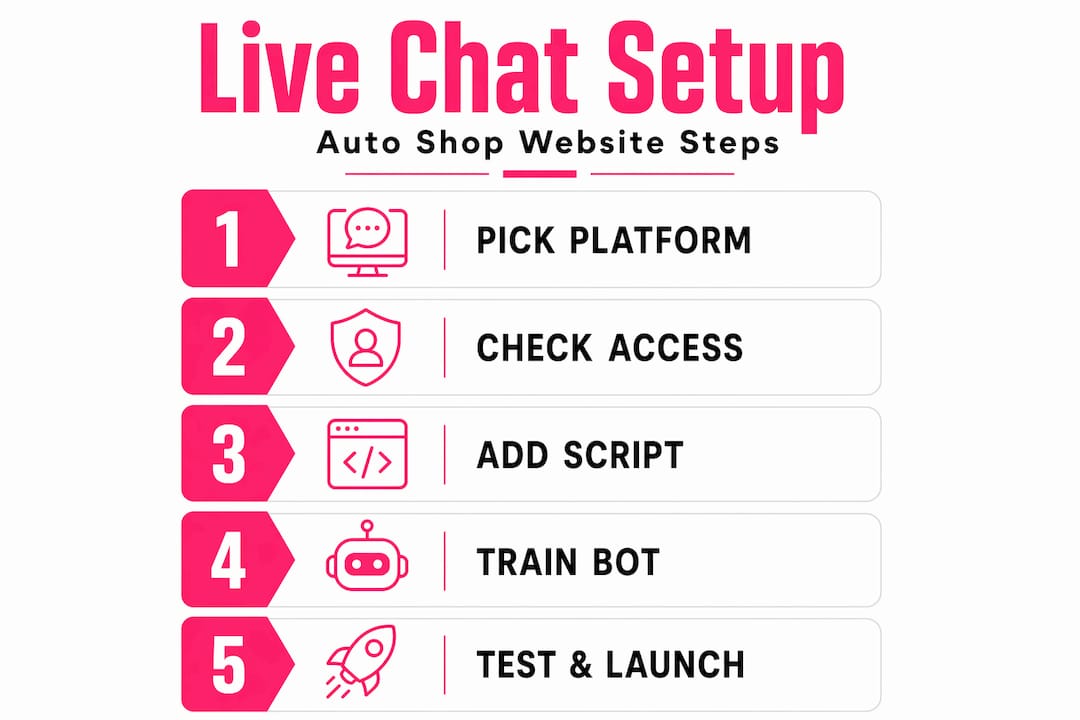
The actual setup process is more approachable than most shop owners expect. A basic live chat widget can be up and running in 15 to 30 minutes. Here is how to do it.
-
Sign up for your chosen platform. Create an account on whichever chat tool you selected. Most have a free trial. Fill in your business name, website URL, and basic contact details during onboarding.
-
Create your first chat agent or bot. Inside the platform dashboard, you will find an option to create a chatbot or set up an AI agent. Name it something friendly and on-brand, like "Mike at Riverside Auto" rather than "Bot." Customers respond better to a name.
-
Install the widget on your website. This is the technical step. The platform will give you a short snippet of JavaScript code. If you use WordPress, install the platform's official plugin and paste your API key. If you use a custom site or another CMS, paste the script tag just before the closing "</body>` tag in your site's HTML. If you use Google Tag Manager, create a new Custom HTML tag and paste the script there.
-
Customize the chat widget's appearance. Match the widget color to your shop's brand colors. Upload your logo or a photo of your shop. Write a short greeting message that sounds like your team. Something like "Hey there! Got a question about your car? We're here to help." works better than a generic "Hello, how can I help you?"
-
Train the AI on auto-specific responses. This is the step most shops skip, and it costs them. Go into your bot's knowledge base or response settings and add answers to your most common questions. Include your hours, your services, your pricing ranges, your address, and your booking link. The more specific the information, the more useful the bot becomes.
-
Set up escalation rules. Configure the bot to hand off to a human agent when certain keywords appear. More on this in the next section, but at minimum set triggers for words like "urgent," "won't start," and "stranded."
-
Test the chat before going live. Open your website in an incognito browser window and run through several conversations yourself. Try asking questions the bot should know. Try asking something it should not know. Make sure the handoff to human works. Check that it looks right on mobile, since most of your customers will find you on their phones.
-
Go live and monitor closely for the first week. Watch the chat logs daily. You will quickly spot gaps in your bot's knowledge and questions you did not anticipate. Update responses as you go.
Pro Tip: Add your shop's most popular service pages to the chatbot's knowledge base so it can link customers directly to relevant information during a conversation.
Common mistakes that hurt your chat results
Getting the widget installed is only half the job. These are the mistakes that cause shops to see little return from their live chat investment.
-
Treating chat like a contact form. Customers expect conversational answers with real specifics on pricing and services. If your bot just says "We'll get back to you," you have not improved on a contact form at all. The chat needs to actually answer questions in real time.
-
Ignoring after-hours traffic. A huge portion of car trouble happens on evenings and weekends. AI chat handles routine questions 24/7 and escalates complex issues to human staff when they are back. If your chat just shows "offline," you are missing the customers who need you most.
-
Not connecting chat to your shop management system. Integrating chat with your CRM or shop management software means every lead captured in chat flows directly into your existing workflow. Without this, your staff manually re-enters data, leads slip through, and the whole system breaks down.
-
Missing emergency keyword escalation. Detecting keywords like "won't start" and routing those conversations to an immediate human response is one of the highest-value configurations you can make. A customer stranded in a parking lot who gets a fast, human response is very likely to become a loyal customer.
-
Starting without backend access. If you do not have access to your own website's backend, you cannot install the chat widget without calling your developer first. This delay kills momentum. Sort out access before you begin.
"The main objective of chat is not just lead generation. It's about preventing potential customers from drifting by providing instant, accurate responses." — Webchat software for auto dealerships
Measuring success and improving over time
Installing live chat is a starting point, not a finish line. The shops that see the biggest results treat chat as something they actively manage and improve.
Metrics worth tracking
| Metric | What it tells you |
|---|---|
| Lead volume from chat | How many new contacts chat generates each week |
| First response time | How quickly the bot or agent replies to a new conversation |
| Chat to appointment rate | How many chats result in a booked service |
| Customer satisfaction score | Collected via a post-chat survey rating |
| Missed chat rate | How often visitors start a chat but get no response |
Shops that have implemented AI-powered chat have seen a 30% increase in online leads and 25% higher customer satisfaction scores within the first three months. Those numbers are not guaranteed, but they show what is possible when the setup is done right.
Using chat to qualify leads before human follow-up
One of the most practical uses of chat for auto shops is lead qualification. Configure your bot to ask a few simple questions before routing to a human. What kind of car do they drive? What service do they need? When are they looking to come in? By the time a staff member takes over the conversation, they already have context. That makes the human interaction faster and more likely to convert.
Iterating on your chatbot over time
Set a monthly calendar reminder to review your chat logs. Look for questions the bot answered poorly. Look for conversations that dropped off without a resolution. Update your responses, add new service information, and refine your escalation triggers. Integrating chat with existing shop systems also allows the bot to pull live appointment availability, which removes friction from the booking process entirely.
Pro Tip: Run a short post-chat survey asking one question: "Did we answer your question today?" A simple yes or no gives you a clear signal on bot quality without annoying customers.
My honest take on live chat for auto shops
I have worked with enough small business websites to know that live chat gets underestimated in two opposite ways. Some shop owners think it will solve everything the moment it goes live. Others dismiss it as too technical or too expensive to bother with. Both views miss the point.
What I have seen actually work is the combination of a well-trained bot and a fast human handoff. The bot handles the volume. The human closes the deal. When those two things work together, the results are real. When shops skip the training step or never set up escalation rules, the chat widget sits in the corner of the screen doing nothing useful.
The integration piece is where I see the most value lost. Shops spend time setting up chat but never connect it to their scheduling software. So leads come in through chat, get written on a sticky note, and disappear. That is not a chat problem. That is a workflow problem that chat just exposed.
My advice: start simple. Get the widget live, train it on your top 10 questions, and connect it to whatever system you use to track customers. Then improve from there. The shops that win with live chat are not the ones with the fanciest setup. They are the ones that actually pay attention to it.
— Annie
Let Glimmertech set up your live chat
Getting live chat configured correctly takes more than dropping a script into your site. At Glimmertech, we handle the full setup for auto shop websites: widget installation, brand customization, bot training, and CRM connection. You get a chat feature that actually works from day one, without spending hours figuring out settings.
We work specifically with small business websites and know the tools that fit auto shops best. Whether your site runs on WordPress, a custom build, or something in between, we get it done without the back-and-forth. If you want live chat on your site without the headache, reach out to Glimmertech and we will take it from there.
FAQ
How long does it take to add live chat to a website?
Most live chat widgets take 15 to 30 minutes to install using a plugin or embed script. Training the bot and customizing responses takes additional time depending on how detailed you want the setup.
Do I need a developer to add live chat to my auto shop site?
Not always, but some backend access is required even with no-code platforms. If you have admin access to your CMS or Google Tag Manager, you can likely do it yourself. If not, a developer or a service like Glimmertech can handle it quickly.
What should my auto shop chatbot be trained to answer?
Start with your hours, location, services offered, pricing ranges, and how to book an appointment. These cover the majority of first-contact questions and give the bot enough to be genuinely useful from day one.
Can live chat work after hours for my shop?
Yes. AI chat handles routine questions around the clock and can escalate urgent issues to a human when your team is back online. This is one of the strongest arguments for adding chat to your auto shop website.
How do I know if my live chat is actually working?
Track lead volume from chat, first response time, and your chat to appointment conversion rate weekly. Shops with well-configured AI chat have reported a 30% increase in online leads within three months, which gives you a reasonable benchmark to measure against.