
Construction company website setup is the process of building an online platform that showcases your services, past projects, and contact options to attract and convert potential clients. A professional contractor website is no longer optional. Clients search online before calling anyone, and your site is the first impression you make. Platforms like WordPress, Wix, and Squarespace have made it possible to launch a credible construction site without a large budget or a developer on staff. This guide walks you through every phase, from picking a platform to going live and keeping your site working for you long after launch.
What tools and prerequisites does a construction company website setup require?
The foundation of any contractor website is a domain name and web hosting. Your domain should match your business name as closely as possible. Hosting providers like Bluehost, SiteGround, and WP Engine offer plans built for WordPress sites, with prices starting under $10 per month.
Choosing the right website builder depends on your revenue and growth goals. Contractor website budgets scale with company size: DIY builders cost under $1,200 per year for firms under $300K in revenue, WordPress premium themes run $1,500–$4,000 for companies earning $300K–$1M, and semi-custom builds range from $5,000–$15,000 for large multi-location firms. That cost structure reflects what each tier actually delivers in terms of control, SEO capability, and design flexibility.

AI-assisted builders in 2026 include platforms with built-in SEO guidance, modular layouts, and service area pages designed specifically for local lead generation. Wix, Squarespace, and HubSpot CMS all fall into this category. They reduce setup time but may limit customization as your business scales.
Mobile optimization is non-negotiable. Mobile accounts for approximately 65% of web traffic, meaning a site that breaks on a phone loses the majority of potential visitors before they read a single word. Every platform you consider must produce a fully responsive site out of the box.
| Platform | Best For | Starting Cost | Key Feature |
|---|---|---|---|
| WordPress + premium theme | $300K–$1M revenue firms | ~$1,500/year | Full SEO control, plugin library |
| Wix | Small firms under $300K | ~$300/year | Drag-and-drop, fast launch |
| Squarespace | Design-focused contractors | ~$480/year | Clean templates, built-in analytics |
| HubSpot CMS | Lead-focused businesses | Free to $360/year | CRM integration, SEO tools |
Pro Tip: Before you buy hosting, confirm the platform supports schema markup and custom meta tags. These two features directly affect how Google reads your site and how often you appear in local search results.
How do you select and customize construction website templates?
Template-driven setup is the fastest path to a professional site. WordPress themes like Renovate are built specifically for construction businesses, with ready-made layouts for service pages, project galleries, testimonials, and contact forms. You do not need to design from scratch. You need to replace demo content with your own.
When comparing construction company website templates, prioritize these features:
- Service pages with clear descriptions of each trade or specialty you offer
- Project gallery with before-and-after photos organized by project type
- Testimonials section with client names and project details for credibility
- Contact and quote request form placed prominently on the home page
- Mobile-first layout that loads fast and reads cleanly on any screen
Replacing demo content is where most contractors slow down. The fix is simple: gather 10–15 project photos, write two to three sentences about each service you offer, and collect three to five client quotes before you touch the template. Having that content ready before you open the builder cuts setup time in half.
Template-driven WordPress builds with Elementor support let you drag sections around without writing code. Elementor is a visual page builder that works inside WordPress, giving you pixel-level control over layout without hiring a developer. Squarespace offers a similar drag-and-drop experience for contractors who prefer an all-in-one platform.
Pro Tip: Launch with 80% of your ideal design rather than waiting for perfection. A live site generating leads beats a perfect site still in draft mode. You can refine the design after your first client inquiry comes in.
What content and pages should a construction website include?
Every effective contractor site is built on the same core pages. Each page serves a specific role in moving a visitor from curious to ready to call.
The pages you need are:
- Home: A clear headline stating what you build and where, with a call to action above the fold
- Services: One page per major service category, written with local keywords and specific project types
- Projects/Portfolio: A visual gallery organized by project type, with short descriptions and location details
- About Us: Your company story, years in business, licenses, and team photos
- Testimonials: Client reviews with full names and project context, not anonymous quotes
- Contact/Quote Request: A short form asking for name, project type, location, and timeline
SEO-friendly content for construction sites means writing service pages around phrases your clients actually search. "Kitchen remodeling contractor in city]" outperforms "our services" every time. Local SEO also requires [service area pages for each city or region you serve. Each page should name the location, describe the services you offer there, and include at least one local project example.
Project galleries are your strongest conversion tool. Before-and-after photos with short captions showing the scope, timeline, and location of each job build trust faster than any written claim. Clients want proof, not promises.
Lead capture works best when the barrier is low. A quote request form asking for five fields or fewer gets more completions than a long intake form. Pair it with a phone number displayed in the header on every page so visitors can choose how they contact you.
What are the key steps to launch and maintain your construction website?
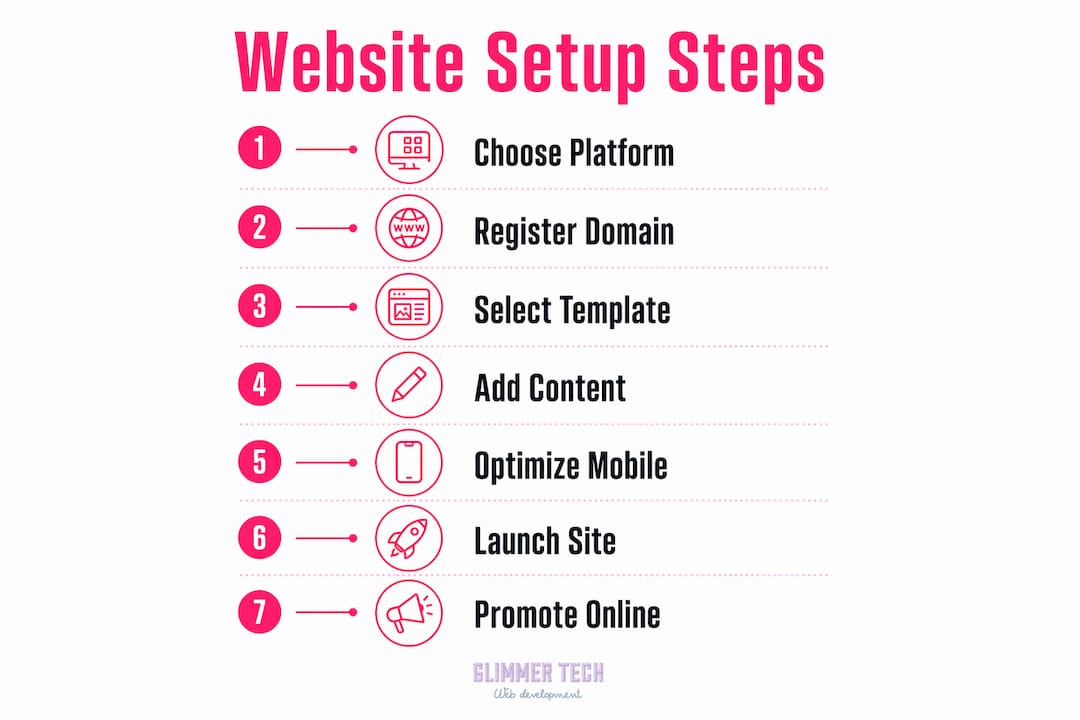
A structured launch process follows a clear sequence: secure your domain, set up hosting, choose your builder, design and customize the site, build your sitemap, write your content, run a dry test, then publish and promote. Skipping the dry test phase is the most common mistake contractors make.
The dry run checklist before you go live:
- Click every link on every page and confirm none are broken
- Load the site on an iPhone and an Android device to check mobile layout
- Test the contact form by submitting a real inquiry to your own email
- Run the site through Google PageSpeed Insights and fix any issues scoring below 70
- Check that your business name, address, and phone number appear consistently on every page
Promotion after launch should start immediately. Email your existing client list with a link. Post the site on your company's social media profiles. Submit your URL to Google Search Console so Google indexes your pages within days rather than weeks.
Ongoing maintenance includes adding new projects, updating service descriptions, refining SEO based on search data, and integrating CRM tools for lead tracking. A site that never changes signals to Google that the business is inactive. Adding one new project page per month is enough to keep the site fresh and rankings climbing.
Pro Tip: Connect Google Analytics and Google Search Console on day one. These two free tools show you exactly which pages attract visitors, which search terms bring traffic, and where people leave your site. That data tells you what to fix first.
"The best construction websites are not the most beautiful ones. They are the ones that answer the client's question in under 10 seconds and make it easy to get in touch."
Key takeaways
A successful construction company website setup requires the right platform, real project content, and consistent maintenance to generate leads over time.
| Point | Details |
|---|---|
| Match platform to budget | Choose DIY builders under $300K revenue, WordPress themes for mid-size firms, and semi-custom builds for large companies. |
| Prioritize mobile from day one | Mobile drives roughly 65% of web traffic, so a non-responsive site loses most visitors immediately. |
| Use templates, not blank canvases | Construction-specific themes like Renovate cut setup time and include the pages clients expect to see. |
| Build content before you build pages | Gather project photos, service descriptions, and client quotes before opening your website builder. |
| Maintain the site after launch | Adding new projects and refining SEO monthly keeps rankings and lead flow growing over time. |
What i've learned after watching contractors launch dozens of sites
The biggest mistake I see construction business owners make is treating the website as a one-time project. They spend weeks getting it live, then ignore it for two years. That approach works fine for a brochure. It does not work for a sales tool competing in local search.
The contractors who get the most from their sites treat them like a job site. They add new project photos after every completed job. They update their service pages when they add a new trade. They check their Google Search Console data once a month and adjust. That habit, not the initial design, is what separates a site that generates calls from one that just exists.
I also think the industry overcomplicates the design question. A clean, fast, mobile-friendly site with real photos and a visible phone number will outperform a visually complex site that loads slowly every single time. Clients in construction are practical people. They want to see your work, confirm you serve their area, and reach you quickly. Your construction site online presence should be built around those three needs, not around winning a design award.
One more thing: local SEO is the highest-return investment most contractors are not making. A service area page for each city you work in, written with real project examples from that location, can put you on the first page of Google for searches you are currently invisible on. Pair that with a construction website SEO strategy and you have a site that works while you are on the job site.
— Annie
How glimmer tech builds construction websites that win clients
Glimmer Tech works with construction businesses that need more than a template. Every site Glimmer Tech delivers is built for conversion, mobile performance, and local search visibility from the ground up.
Glimmer Tech's team has built contractor websites across residential, commercial, and specialty trades. The process covers everything from domain setup and custom design to SEO architecture and lead capture forms. Glimmer Tech holds a 98% client satisfaction rate across completed projects. If you are ready to turn your professional web presence into a consistent source of new client inquiries, Glimmer Tech is the right partner to get you there.
FAQ
How much does a construction company website cost?
Costs range from under $1,200 per year for DIY builders to $5,000–$15,000 for semi-custom builds. Your revenue and growth goals should drive the decision.
Which website builder is best for contractors?
WordPress with a premium construction theme offers the most control and SEO flexibility for growing firms. Wix and Squarespace work well for smaller operations that need a fast, low-maintenance launch.
How long does it take to build a contractor website?
A template-driven WordPress site can go live in one to two weeks with content ready in advance. Custom builds typically take four to eight weeks depending on scope and revision cycles.
What pages does a construction website need?
Every contractor site needs a Home, Services, Projects/Portfolio, About Us, Testimonials, and Contact page. Adding service area pages for each city you serve significantly improves local search rankings.
How do you optimize a construction website for mobile?
Choose a platform that produces a responsive layout automatically, then test on both iOS and Android before launch. Mobile optimization directly affects both user experience and Google rankings.