
Web accessibility is defined as the practice of designing and developing websites so that people of all abilities, including those with disabilities, can perceive, understand, navigate, and interact with digital content. The industry standard term is digital accessibility, and it covers everything from screen reader compatibility to keyboard navigation and color contrast. Governed by frameworks like the W3C Web Accessibility Initiative (WAI) and enforced through laws like the Americans with Disabilities Act (ADA), accessibility is not optional. It is a legal obligation, a user experience standard, and a direct driver of business performance. Accessibility improves usability for far more than disabled users. People on mobile devices, slow networks, and aging hardware all benefit from the same design decisions that make a site accessible.
What does web accessibility mean in practice?
Web accessibility means removing barriers that prevent any user from getting equal value from your site. The W3C WAI defines accessible web content around four core principles, known by the acronym POUR: Perceivable, Operable, Understandable, and Robust. Perceivable means users can receive information through at least one sense, such as reading text alternatives for images. Operable means all functions work without a mouse. Understandable means content and interfaces behave predictably. Robust means content works across current and future assistive technologies.
These principles apply to every layer of a website. A developer writing semantic HTML, a designer choosing color contrast ratios, and a content writer adding descriptive alt text are all practicing digital accessibility. The definition of web accessibility is therefore not a single checkbox. It is a design philosophy applied across every role on a web project.

Why web accessibility matters for users and businesses
The ADA frames inaccessible websites as the digital equivalent of a building without a wheelchair ramp. The U.S. Department of Justice has enforced ADA requirements on web content since 1996, and businesses that ignore this face real legal exposure. Lawsuits targeting inaccessible websites have increased steadily, with retail, hospitality, and financial services among the most frequently targeted sectors.
Beyond legal risk, the business case for accessibility is direct:
- Market reach. Roughly one in four adults in the United States lives with some form of disability. An inaccessible site excludes a significant portion of potential customers.
- SEO performance. Accessibility benefits SEO because search engines parse the same semantic structure that screen readers rely on. Descriptive headings, alt text, and logical page structure all improve crawlability and rankings.
- Usability for everyone. Captions help users in noisy environments. High contrast text helps users in bright sunlight. Keyboard navigation helps power users who prefer not to use a mouse.
- Brand trust. Accessibility signals that a business respects all customers. That perception translates into loyalty and positive word of mouth.
- Reduced legal liability. Proactive compliance is far less expensive than defending an ADA lawsuit or settling a Department of Justice complaint.
Pro Tip: Run your site through the WAVE Web Accessibility Evaluation Tool before your next redesign. It surfaces contrast failures, missing labels, and structural errors in minutes, giving your team a concrete starting point without a full audit.
The importance of web accessibility is not limited to large enterprises. Small business owners who work with Glimmer Tech on web design and development face the same legal and market pressures as Fortune 500 companies. The difference is that smaller sites are often easier to fix.
What are the core web accessibility standards?
The primary framework governing accessible web design is the Web Content Accessibility Guidelines (WCAG), published by the W3C WAI. WCAG sets measurable success criteria organized under the four POUR principles. Each criterion carries a conformance level: A (minimum), AA (standard legal benchmark), and AAA (enhanced).
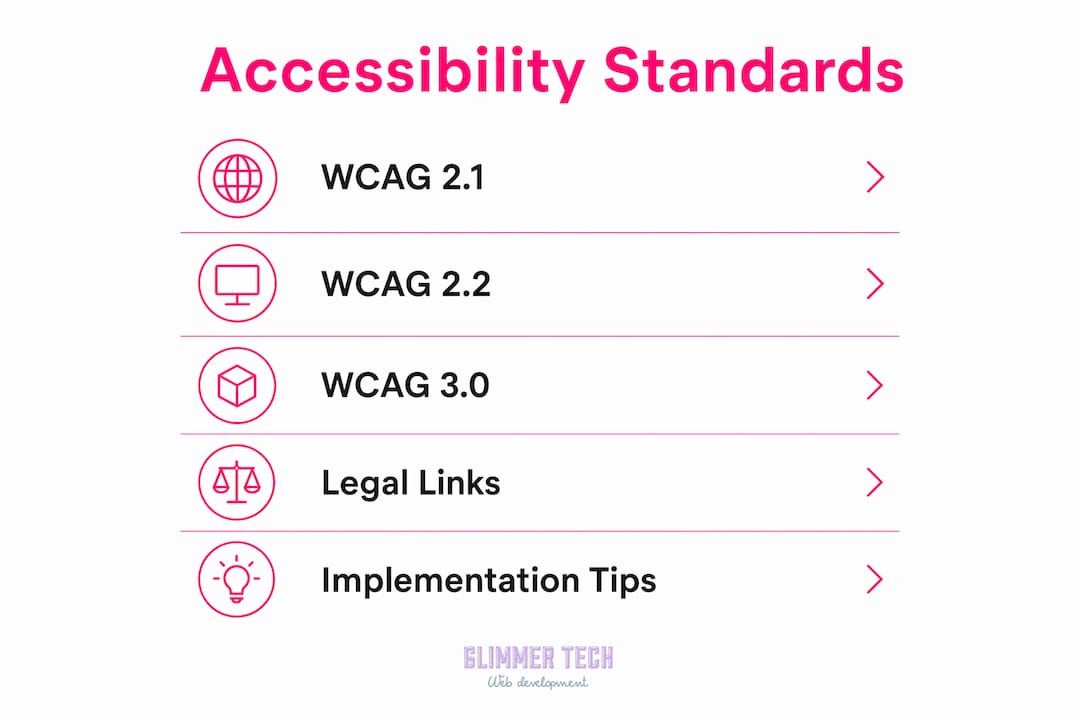
| Standard | Status | Key focus |
|---|---|---|
| WCAG 2.1 | Published 2018, widely adopted | Mobile accessibility, low vision, cognitive disabilities |
| WCAG 2.2 | Published 2023, current legal benchmark | Focus indicators, dragging movements, authentication |
| WCAG 3.0 | In development by W3C | Outcome-driven scoring, expanded device and disability coverage |
WCAG 2.2 is the current standard most courts and regulators reference. It adds nine new success criteria over WCAG 2.1, including requirements for visible focus indicators and accessible authentication flows. WCAG 3.0 expands coverage across emerging technologies and multiple disability types, moving away from binary pass/fail scoring toward a more nuanced outcome model. Organizations that build to WCAG 2.2 AA today are well positioned to adapt when WCAG 3.0 is finalized.
The relationship between standards and law is direct but not always simple. The ADA does not name a specific technical standard, but DOJ guidance consistently points to WCAG 2.1 AA as the practical benchmark. Section 508 of the Rehabilitation Act, which applies to federal agencies and their contractors, references WCAG 2.0 AA. Knowing which standard applies to your organization is the first step in building a compliance strategy.
Pro Tip: Bookmark the W3C WAI resources page and subscribe to its updates. WCAG 3.0 is still in development, and the working drafts change. Staying current costs nothing and prevents expensive rework later.
What are the most common web accessibility barriers?
Common accessibility barriers fall into predictable categories that affect specific groups of users in distinct ways. Recognizing them is the first step to fixing them.
- Missing alt text. Images without text alternatives are invisible to screen readers used by blind and low-vision users. A product photo with no alt text is a dead end for someone using JAWS or NVDA.
- Poor color contrast. Text that does not meet a 4.5:1 contrast ratio against its background fails users with low vision and anyone reading in bright light. WCAG 2.2 AA requires this ratio for normal text.
- Keyboard navigation failures. Users with motor disabilities often cannot use a mouse. If your dropdown menus, modal dialogs, or form fields cannot be reached and operated with a Tab key and Enter key, those users are locked out.
- Inaccessible forms. Form fields without visible labels, error messages that only use color to signal a problem, and required fields that are not announced to screen readers all create barriers for users with visual and cognitive disabilities.
- Auto-playing media. Videos or audio that start automatically disrupt screen reader users and create problems for people with attention or cognitive differences.
- Missing captions. Video content without captions excludes deaf and hard-of-hearing users, as well as anyone watching without sound.
The ADA guidance frames these barriers as equivalent to a physical obstruction. A door that only opens with a round knob excludes wheelchair users. A website that only works with a mouse excludes keyboard users. The analogy is exact, and courts have accepted it.
Understanding adaptive web design principles helps designers anticipate these barriers before they are built into a site, rather than patching them after launch.
How to improve web accessibility on your site
Improving accessibility is a process, not a project. Accessibility compliance is a moving target shaped by evolving guidelines and consistent enforcement. The following steps give designers, developers, and business owners a structured path forward.
- Start at the design stage. Accessibility decisions made in Figma or Adobe XD cost a fraction of what they cost to fix in production. Define color palettes that meet WCAG contrast ratios before a single line of code is written.
- Use automated testing tools. Tools like axe DevTools, WAVE, and Lighthouse catch roughly 30 to 40 percent of accessibility errors automatically. Run them on every page template, not just the homepage.
- Test manually with assistive technologies. Automated tools miss context-dependent issues. Navigate your site using only a keyboard. Test with NVDA or VoiceOver to hear how your content sounds to a screen reader user.
- Follow WCAG 2.2 AA as your baseline. Document which criteria you are targeting and track conformance per page. A simple spreadsheet works. The goal is a record you can show a regulator or plaintiff's attorney if needed.
- Train your team. Developers who understand semantic HTML, designers who know contrast ratios, and content writers who can write descriptive alt text produce accessible work by default. One training session per quarter is enough to maintain awareness.
- Audit on a schedule. Every new feature, plugin update, or content addition can introduce new barriers. Quarterly audits catch regressions before they accumulate.
Pro Tip: Add an accessibility acceptance criterion to every user story in your development backlog. "This feature must be keyboard operable and pass axe DevTools with zero critical errors" takes ten seconds to write and prevents hours of remediation.
Web accessibility testing requires both automated and manual methods. Neither alone is sufficient. The combination gives you coverage across the full range of user scenarios.
Good image optimization practices also support accessibility directly. Compressed images load faster for users on slow connections, and properly structured image files make alt text implementation cleaner and more consistent.
Key takeaways
Web accessibility is a legal requirement, a UX quality standard, and a business advantage that applies to every website regardless of size or industry.
| Point | Details |
|---|---|
| Core definition | Accessibility means all users can perceive, operate, understand, and interact with your site. |
| Legal baseline | WCAG 2.2 AA is the current benchmark referenced by ADA enforcement and DOJ guidance. |
| Business impact | Accessible sites reach more users, rank better in search, and carry lower legal risk. |
| Common barriers | Missing alt text, poor contrast, and keyboard failures are the most frequent and fixable issues. |
| Ongoing process | Accessibility requires scheduled audits and team training, not a single one-time fix. |
Accessibility is not a finish line
I have reviewed hundreds of websites over the years, and the most common mistake I see is treating accessibility as a launch checklist. Teams run a single WAVE scan, fix the red flags, and consider the job done. Six months later, a new plugin breaks keyboard navigation, a redesigned form drops its labels, and the site is back to failing users.
The harder truth is that accessibility is a quality standard, not a compliance event. The organizations that get it right are the ones that build it into their workflow. They write accessible HTML by default. They review contrast in design reviews. They test with screen readers before every major release. That discipline is not expensive. It is just consistent.
I also think the industry undersells the UX benefits. A site with clear heading structure, descriptive link text, and logical tab order is simply easier to use for everyone. Users with no disabilities notice when a site is well organized. They stay longer, convert more often, and return. Accessibility done well is invisible. Users just experience a site that works.
The arrival of WCAG 3.0 will shift the conversation further. Its outcome-based scoring model rewards genuine usability over technical checkbox compliance. That is a better framework for everyone, and teams that have been building with real users in mind will adapt to it easily. Teams that have been gaming pass/fail criteria will struggle.
Start now. Fix the obvious barriers. Build the habits. The legal and business case is clear, and the users who benefit are real.
— Annie
Build an accessible site with Glimmer Tech
Glimmer Tech builds websites that perform for every user, not just the majority. From semantic HTML structure to WCAG 2.2 AA compliance, accessibility is part of every project from day one. Small business owners who want a site that reaches more customers, ranks better in search, and carries less legal risk get all three when accessibility is built in rather than bolted on. Explore Glimmer Tech's web services to see how a professionally built, accessible website translates directly into measurable business results.
FAQ
What does web accessibility mean for a small business?
Web accessibility means your website can be used by people with disabilities, including those using screen readers, keyboard navigation, or other assistive technologies. For small businesses, it also means legal compliance with the ADA and access to a broader customer base.
What is the difference between WCAG 2.2 and WCAG 3.0?
WCAG 2.2 is the current published standard with binary pass/fail criteria at A, AA, and AAA levels. WCAG 3.0 is in development and introduces outcome-based scoring that covers a wider range of disabilities and emerging technologies.
Is web accessibility legally required in the United States?
The ADA applies to websites, and the U.S. Department of Justice has enforced this interpretation since 1996. Businesses that fail to provide accessible web content face potential lawsuits and regulatory complaints.
What are the most common web accessibility failures?
Common failures include missing image alt text, insufficient color contrast, unlabeled form fields, and pages that cannot be navigated with a keyboard alone. These issues affect screen reader users, low-vision users, and users with motor disabilities.
How often should a website be tested for accessibility?
Accessibility should be tested at every major release and audited on a quarterly schedule. W3C advises treating accessibility as an ongoing process because new content, plugins, and design changes can introduce barriers at any time.