

A website sitemap is a structured XML file that lists your site's URLs and acts as a roadmap for search engines to discover, crawl, and index your content. Most website owners know the term but misunderstand what it actually does. There are two distinct types: XML sitemaps built for search engines like Google and Bing, and HTML sitemaps built for human visitors. Tools like Google Search Console and Yoast SEO both rely on sitemaps to track and improve how your content gets found. Getting this right is one of the most direct technical steps you can take to improve your site's visibility.
What is a website sitemap and why does it exist?
A website sitemap is a file that tells search engines which pages exist on your site, when they were last updated, and how they relate to each other. Without one, search engines rely entirely on following links to discover your content. That works fine for simple sites, but it fails the moment your structure gets complex.
Digital.gov describes an XML sitemap as a file that gives search engines a reliable roadmap to discover and index content. This matters because crawlers do not always find every page through links alone. Orphaned pages, new content, and deeply nested URLs are all at risk of being missed without a sitemap pointing directly to them.

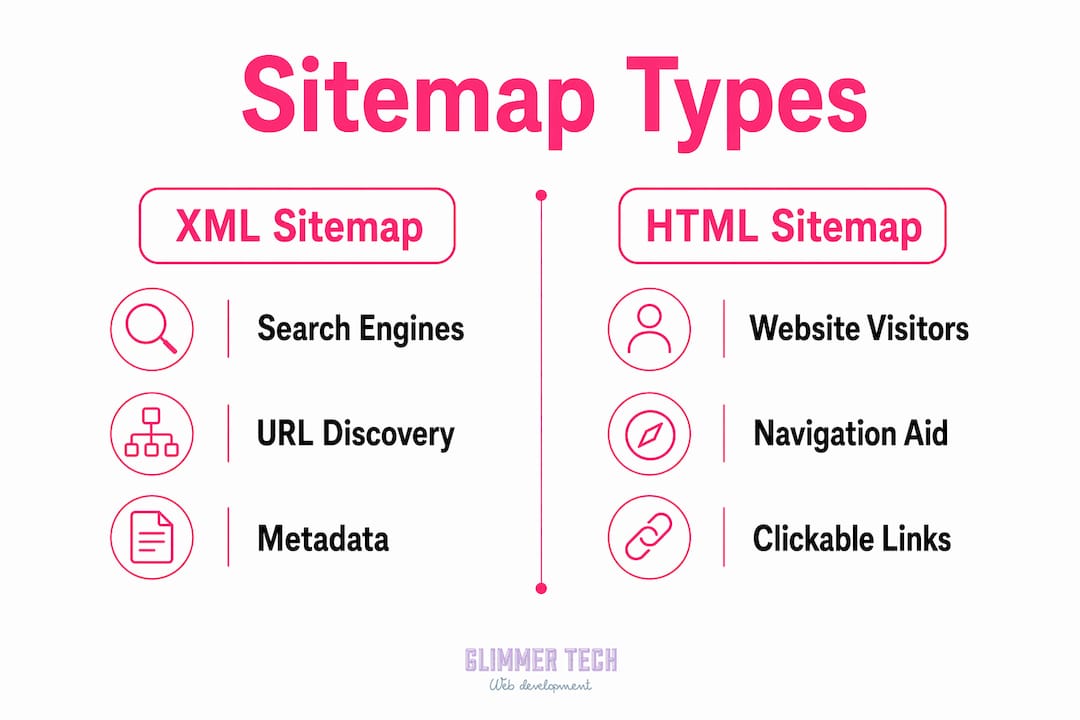
The term "sitemap" covers two different things that serve different audiences. The XML version is machine-readable and invisible to visitors. The HTML version is a page on your website that lists links to major sections, helping real people find what they need. Both have a role, but they are not interchangeable.
What are the different types of sitemaps?
Understanding the types of sitemaps prevents one of the most common mistakes in SEO: treating them as the same thing.
XML sitemaps
An XML sitemap is a machine-readable file submitted to search engines. It lists URLs along with optional metadata like the last modification date. Google, Bing, and other crawlers read this file directly. It is not visible to your site visitors and has no design or navigation function. This is the sitemap that matters most for SEO.
HTML sitemaps
An HTML site map is a web page containing links to your site's major sections and sub-pages. It helps visitors navigate, especially on large sites where menus do not surface every page. It has real usability value but does not serve the same function as an XML sitemap for crawlers.
Other sitemap formats
Text sitemaps list one URL per line with no metadata. RSS and Atom feeds can also act as sitemaps for news or blog content, signaling recently updated pages to crawlers. These are less common but valid for specific use cases.
| Type | Audience | Primary purpose |
|---|---|---|
| XML sitemap | Search engine crawlers | URL discovery and crawl scheduling |
| HTML sitemap | Website visitors | Navigation and usability |
| Text sitemap | Search engine crawlers | Simple URL listing, no metadata |
| RSS/Atom feed | Crawlers and subscribers | Recent content signaling |
Pro Tip: Never assume your HTML sitemap is doing the work of an XML sitemap. Search engines prioritize the XML format for crawling and indexation. Both serve your site, but they solve different problems.
How do sitemaps influence SEO and content indexing?
Sitemaps accelerate content discovery. They do not guarantee rankings or even indexing, but they remove one of the most common barriers to getting your pages seen.
Sitemaps supplement crawl mechanisms rather than replace them. A sitemap tells Google that a page exists. Google then decides whether to index it based on quality, relevance, and authority. This is a critical distinction. Many site owners submit a sitemap and expect every page to rank. That is not how it works.
Where sitemaps genuinely move the needle is on complex or large sites where pages are hard to discover through internal links alone. A new e-commerce store with 500 product pages, a multi-location business site, or a blog with years of archived content all benefit significantly from a well-maintained sitemap.
Here is what sitemaps actually do for your SEO:
- Speed up discovery. New pages get found faster when they appear in a sitemap rather than waiting for a crawler to follow links.
- Signal recrawl priority. The "<lastmod>` tag tells Google when a page was last updated, helping it prioritize which pages to recrawl first.
- Reduce crawl gaps. Pages with no internal links pointing to them would otherwise be invisible to crawlers.
- Support large sites. Sites with thousands of URLs need sitemaps to prevent indexing gaps.
- Complement robots.txt. Referencing your sitemap in your robots.txt file gives crawlers a direct path to it without needing to search.
One common misconception is that submitting a sitemap to Google Search Console will push all your pages into the index immediately. Google still evaluates each URL independently. The sitemap is the introduction. Quality content earns the index placement.
Technical considerations for XML sitemaps
The XML sitemap protocol has specific rules. Ignoring them creates silent failures where pages simply never get indexed.
A single sitemap file cannot exceed 50,000 URLs or 50 MiB uncompressed. Sites that exceed these limits must split their sitemaps into multiple files and reference them through a sitemap index file. Without this split, URLs beyond the limit are invisible to crawlers, creating indexing gaps you may not notice for months.
The metadata tags inside an XML sitemap each serve a purpose:
<lastmod>: The date a page was last modified. This is the most useful tag. Accurate values help Google schedule recrawls efficiently. Stale or inaccurate values reduce the sitemap's usefulness.<changefreq>: A hint about how often content changes. Google treats this as advisory, not binding.<priority>: A relative importance score between 0.0 and 1.0. Google also treats this as advisory.
The most important of these is <lastmod>. Outdated lastmod values reduce your sitemap's effectiveness because Google learns to distrust the signal. If your CMS updates pages without updating the <lastmod> tag, you are sending misleading data to crawlers.
Pro Tip: Sync your sitemap generation with your CMS publishing workflow. Plugins like Yoast SEO for WordPress or Screaming Frog for auditing update <lastmod> automatically when content changes. Manual sitemaps go stale fast.
To submit your sitemap correctly:
- Upload the sitemap file to your root domain (e.g.,
yoursite.com/sitemap.xml) - Add the sitemap URL to your
robots.txtfile usingSitemap: https://yoursite.com/sitemap.xml - Submit the URL directly in Google Search Console under the Sitemaps report
For multi-location websites or large-scale sites, a sitemap index file is the right approach. It references multiple child sitemaps, each covering a different section of the site.
How to create and implement a sitemap on your website
Creating a sitemap does not require technical expertise if you use the right tools. The process has five clear steps.
- Choose a generation method. For WordPress sites, Yoast SEO or Rank Math generate XML sitemaps automatically. For non-CMS sites, Screaming Frog crawls your site and exports a valid sitemap file. For custom builds, libraries like Python's
sitemap-generatorhandle the output. - Audit your URLs before including them. Only include pages you want indexed. Exclude admin pages, duplicate content, and any URLs blocked by robots.txt. Including low-quality pages in your sitemap signals poor site hygiene to Google.
- Upload and reference the sitemap. Place the sitemap at your root domain and add the reference line to your robots.txt file. This step is often skipped, leaving the sitemap technically valid but undiscovered.
- Submit to Google Search Console. Log in, navigate to the Sitemaps section, and enter your sitemap URL. Google will report how many URLs it found and how many it indexed. This gap between submitted and indexed URLs is one of the most useful diagnostics in SEO.
- Monitor and update regularly. Every time you publish new content, delete pages, or restructure your site, your sitemap should reflect those changes. A sitemap that lists deleted pages or misses new ones creates crawl confusion.
Understanding how search engines index pages is the foundation for using sitemaps effectively. A sitemap is only as useful as the pages it points to. Pair it with strong internal linking and clean site architecture for the best results.
Good website navigation structure and a well-maintained sitemap work together. Internal links help crawlers move through your site naturally. The sitemap fills the gaps where those links do not reach.
Key takeaways
A website sitemap is the most direct technical signal you can give search engines about what pages exist on your site and when they were last updated.
| Point | Details |
|---|---|
| XML vs. HTML sitemaps | XML sitemaps serve crawlers; HTML sitemaps serve visitors. Never confuse the two. |
| Sitemaps do not guarantee indexing | Submitting a sitemap tells Google a page exists. Quality content determines whether it gets indexed. |
| File size limits matter | A single XML sitemap cannot exceed 50,000 URLs or 50 MiB. Use a sitemap index file for larger sites. |
| Keep metadata accurate | Stale <lastmod> values reduce crawl efficiency. Sync sitemap generation with your CMS workflow. |
| Submit and monitor | Use Google Search Console to submit your sitemap and track the gap between submitted and indexed URLs. |
Why most site owners get sitemaps wrong
I have reviewed hundreds of websites, and the same mistakes appear constantly. Site owners either skip the XML sitemap entirely because their site "isn't that big," or they generate one and never touch it again. Both approaches leave real indexing value on the table.
The biggest misconception I see is treating the HTML sitemap as an SEO asset. It is not. It helps your visitors. The XML sitemap is what Google reads. Confusing the two leads to sites with a beautiful HTML sitemap page and zero XML sitemap submitted to Search Console.
The second mistake is ignoring <lastmod> accuracy. I have audited sites where the <lastmod> date on every URL was the same, set to the day the sitemap was first generated. Google notices this pattern and stops trusting the signal. Accurate metadata is not optional if you want your sitemap to do its job.
For large or complex sites, the sitemap index approach is not optional. It is the only way to cover your full URL inventory without hitting protocol limits. If you manage a site with thousands of pages and you have a single sitemap file, check whether you are leaving pages uncovered.
Treat your sitemap as a living document, not a one-time setup task. It reflects your site's current state and tells search engines what to prioritize. Keep it current.
— Annie
Get your sitemap and SEO right with Glimmer Tech
A technically sound sitemap is one piece of a larger SEO picture. Glimmer Tech builds websites with proper site architecture, clean URL structures, and XML sitemaps that are configured and submitted from day one.

If your site has indexing gaps, stale metadata, or no sitemap at all, Glimmer Tech's technical SEO process addresses each of those issues directly. From sitemap generation to Google Search Console setup, the team handles the technical work so you can focus on your business. Visit Glimmer Tech to see how structured web development and SEO work together to get your pages found.
FAQ
What is the difference between an XML and HTML sitemap?
An XML sitemap is a machine-readable file submitted to search engines like Google to aid crawling and indexing. An HTML sitemap is a web page designed for human visitors to navigate your site.
Does having a sitemap improve my Google rankings?
A sitemap does not directly improve rankings. It helps Google discover and crawl pages faster, which is a prerequisite for ranking, but content quality and authority determine actual position.
How do I submit a sitemap to Google?
Upload your sitemap file to your root domain, add a reference in your robots.txt file, then submit the URL in the Sitemaps section of Google Search Console.
How many URLs can a single sitemap file contain?
A single XML sitemap file is limited to 50,000 URLs and 50 MiB uncompressed. Sites exceeding these limits must use a sitemap index file that references multiple child sitemaps.
Do small websites need a sitemap?
Small sites with strong internal linking may not need one urgently, but a sitemap is still best practice. It speeds up discovery for new pages and gives you visibility into indexing status through Google Search Console.