
A website wireframe is a grayscale, low-fidelity schematic that maps the layout, hierarchy, and user flow of a webpage before any visual design begins. Think of it as the architectural blueprint of a website. Tools like Figma and Balsamiq have made wireframing faster and more collaborative, but the core purpose has not changed: define structure first, style later. Wireframes sit between content strategy and UI design, giving designers and developers a shared reference point before a single line of code is written or a color palette is chosen.
What is a website wireframe and why does it matter?
A wireframe is a structural document, not a design document. It outlines structure without visual styling, serving as the connective tissue between what a site needs to communicate and how it will eventually look. That distinction matters because it forces every decision about layout and functionality to be made on its own terms, free from the distraction of fonts, colors, and imagery.
Wireframes are used across every type of web project, from a single landing page to a multi-section e-commerce platform. A wireframe for a product page, for example, will show where the product image sits, where the price appears, where the call to action button lives, and how the user scrolls to reviews. None of those decisions require a color choice. They require logic.

The website wireframe definition used across the industry consistently emphasizes two qualities: low fidelity and intentional incompleteness. The goal is not to show what the site will look like. The goal is to show how it will work.
What elements are included in a wireframe?
Wireframes capture the functional skeleton of a page. They include navigation systems, content blocks, headers, footers, forms, call to action areas, and user flow indicators. According to Wikipedia, wireframes include multiple navigation types such as global, local, supplementary, contextual, and courtesy navigation, each serving a distinct structural role.
Here is what you will typically find mapped in a wireframe:
- Navigation bars showing primary and secondary menu placement
- Headers and footers with placeholder text for logo, tagline, and footer links
- Content blocks represented as labeled boxes or placeholder text (often "Lorem Ipsum")
- Call to action buttons placed according to user flow logic, not visual preference
- Forms showing field count, labels, and submission button placement
- Image placeholders marked with an X through a box to indicate media without specifying it
- User flow indicators such as arrows or numbered sequences showing how a user moves through the page
What wireframes deliberately exclude is equally important. Color, typography, branding, iconography, and photography are all absent. This is not a limitation. It is the point. Removing visual elements forces every stakeholder to evaluate whether the layout makes sense on its own terms.
Pro Tip: Label every element in your wireframe with its functional purpose, not just its position. A box labeled "Featured Product CTA" communicates intent far better than an unlabeled rectangle.
How does the wireframing process work?
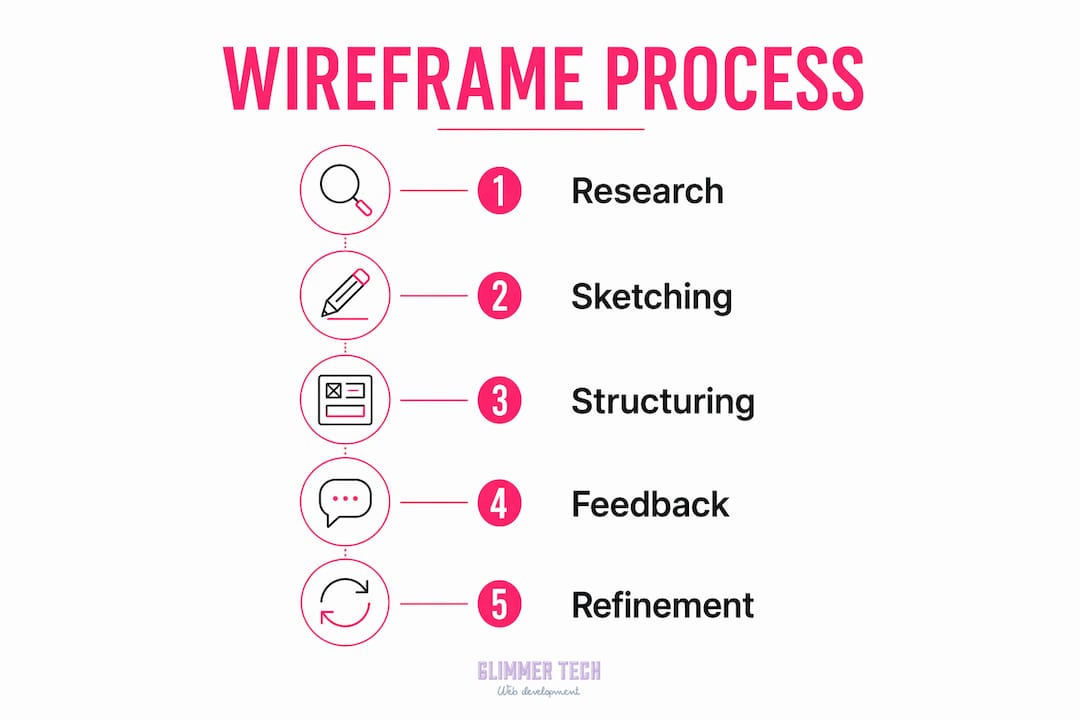
The standard wireframing process follows five core steps used across professional design teams. Each step builds on the last, and skipping any one of them tends to produce wireframes that need to be redone.
-
Define project goals. Before sketching anything, document what the page or site needs to accomplish. A contact page has different goals than a product landing page. Goals drive layout decisions.
-
Map user flows. Identify the paths a user will take through the site. Where do they enter? What do they need to do? Where should they exit? User flow mapping prevents you from designing pages in isolation.
-
Sketch low-fidelity layouts. Start on paper or a whiteboard. Rough sketches are faster to produce and easier to discard. This stage is about generating options, not committing to one.
-
Develop digital wireframes. Move your best sketches into a tool like Figma or Balsamiq. Digital wireframes are easier to share, annotate, and version. They also allow for basic interactivity in later iterations.
-
Iterate based on feedback. Share wireframes with stakeholders and developers early. Collect feedback on structure and logic, not aesthetics. Revise and repeat until the layout is validated.
Time investment is real but manageable. The wireframing process takes 1 to 3 hours per screen at the low-fidelity stage. That time is consistently recovered during development because structural decisions are already resolved.
Pro Tip: Keep your wireframes in grayscale throughout the feedback cycle. Introducing color too early shifts stakeholder attention from user flow to visual preference, which wastes review time.
Wireframes vs. mockups vs. prototypes: what is the difference?
Designers and developers frequently use these terms interchangeably, but they describe distinct deliverables at different stages of the design process. Confusing them leads to misaligned expectations and wasted effort.
Increasing wireframe fidelity too early is one of the most common mistakes in UX projects, according to the Interaction Design Foundation. It pulls stakeholder attention away from user journey logic and toward visual details that are not yet relevant.
The table below summarizes the key differences:
| Deliverable | Fidelity | Focus | Includes visual design? | Includes interactivity? |
|---|---|---|---|---|
| Wireframe | Low | Layout and structure | No | No |
| Mockup | High | Visual design | Yes | No |
| Prototype | Medium to high | Interactivity and flow | Sometimes | Yes |
| Layout | Variable | Page composition | Partial | No |
A wireframe answers the question: where does everything go? A mockup answers: what does it look like? A prototype answers: how does it behave? Each has a specific role, and each is most useful at a specific stage. Treating a wireframe like a mockup by adding color and detailed typography collapses two separate phases into one and removes the structural clarity that makes wireframes valuable.
For designers working on adaptive web design projects, wireframes are especially critical because layout decisions must account for multiple screen sizes before any visual styling begins.
Why is wireframing important for UX and project alignment?
Wireframing is the single most effective tool for gaining early buy-in on complex web projects by validating functional aspects before design investment begins. That is not a minor benefit. It is the difference between a project that ships on schedule and one that cycles through expensive revisions.
The practical value of wireframing breaks down into four areas:
- Content hierarchy. Wireframes force teams to decide what matters most on each page. If the headline, the value proposition, and the call to action are all competing for the same visual weight, the wireframe reveals that conflict before it becomes a design problem.
- Early issue detection. Wireframing surfaces gaps in logic and layout issues when changes are still fast and cheap to implement. Moving a content block in a wireframe takes seconds. Moving it after development takes hours.
- Stakeholder communication. Wireframes give non-designers a concrete artifact to review without requiring them to interpret visual design. A client can look at a wireframe and say "the contact form should be above the testimonials" without needing to understand CSS or Figma.
- Developer handoff. Developers who receive wireframes before design files understand the intended structure and can flag technical constraints early. This reduces back-and-forth during the build phase.
Skipping the wireframing stage often results in design debt requiring costly rework to fix unverified user flows and architecture. That rework is not just expensive in time. It erodes team trust and delays launches.
"Wireframes are a communication tool. Their job is to help stakeholders validate functionality rather than appearance." — UX experts at Slickplan
For projects involving website redesigns, wireframes are especially valuable because they separate structural decisions from visual ones, preventing teams from recreating the same layout problems in a new design skin.
Key takeaways
A website wireframe is the most cost-effective tool in web design because it resolves structural and functional decisions before any expensive design or development work begins.
| Point | Details |
|---|---|
| Wireframe definition | A low-fidelity, grayscale schematic mapping layout, hierarchy, and user flow without visual styling. |
| Core elements | Wireframes include navigation, content blocks, CTAs, forms, and user flow indicators. |
| Standard process | Five steps: define goals, map flows, sketch, build digitally in Figma or Balsamiq, then iterate. |
| Wireframe vs. mockup | Wireframes show structure only; mockups add visual design; prototypes add interactivity. |
| Business value | Wireframing detects layout issues early, reduces rework, and aligns stakeholders before development. |
Why I think most teams wireframe too late
Most teams treat wireframing as a formality that happens after the client brief and before the "real" design work. That sequencing is backwards in practice. The wireframe is not a stepping stone to design. It is the design, at its most honest.
I have seen projects where a team spent three weeks on high-fidelity mockups only to discover in a stakeholder review that the navigation structure did not match how users actually move through the site. The wireframe phase had been compressed to a single afternoon. The result was two weeks of redesign work that could have been caught in a 30-minute wireframe review.
The other mistake I see constantly is treating wireframes as static documents. A wireframe should evolve with the project. As user research surfaces new insights or a developer flags a technical constraint, the wireframe should be updated to reflect that. Teams that freeze their wireframes early and treat them as locked specs lose the structural clarity that made the wireframe useful in the first place.
Resist the pull toward fidelity. Grayscale boxes and placeholder text are not a sign of incomplete work. They are a sign of disciplined thinking. The best wireframes I have reviewed look almost unfinished. That is exactly right.
— Annie
How Glimmer Tech builds websites that start with structure
Glimmer Tech treats wireframing as the foundation of every web project, not an optional step. Before any visual design begins, the team maps layout, user flows, and content hierarchy to make sure every page serves a clear purpose. This structured approach is why Glimmer Tech maintains a 98% client satisfaction rate across web design, e-commerce, and SEO projects. If you want a website built on solid structural thinking from day one, explore Glimmer Tech's web design services and see how a wireframe-first process translates into sites that perform.
FAQ
What is a wireframe used for in web design?
A wireframe is used to define the layout, structure, and user flow of a webpage before visual design or development begins. It gives designers, developers, and stakeholders a shared reference for how the site will function.
How long does it take to create a wireframe?
The wireframing process takes 1 to 3 hours per screen at the low-fidelity stage. Complex pages with multiple user flows may take longer, but most screens fall within that range.
What tools are used to create wireframes?
Figma and Balsamiq are the most widely used wireframing tools in professional web design. Figma supports collaborative editing and component libraries, while Balsamiq is purpose-built for low-fidelity sketching.
What is the difference between a wireframe and a prototype?
A wireframe shows static layout and structure without interactivity or visual design. A prototype simulates user interactions and navigation, making it a later-stage deliverable used for usability testing.
Can you skip wireframing to save time?
Skipping wireframes is a false economy. Omitting the wireframe stage typically results in design debt and expensive rework when unverified user flows cause structural problems during or after development.