
Your website is your shop's first impression for most customers. They search, land on your site, and decide in seconds whether to call or click away. Knowing the right types of auto shop website pages to build, and what belongs on each one, directly affects how many appointments you book and how many customers you keep. This article walks you through every page worth building, what each one needs, and how to prioritize them based on where your shop stands today.
Table of Contents
- Key takeaways
- Types of auto shop website pages every shop should know
- 1. Homepage
- 2. Service overview page
- 3. Service detail pages
- 4. Pricing page
- 5. About us page
- 6. Contact page
- 7. Online booking page
- 8. Testimonials page
- 9. Portfolio or gallery page
- 10. Blog or FAQ page
- How different pages compare on key criteria
- Practical guidance for shops at different stages
- My take on what most auto shops get wrong
- Build your auto shop website the right way
- FAQ
Key takeaways
| Point | Details |
|---|---|
| Core pages come first | Homepage, services, contact, and about pages form the foundation every auto shop site needs before anything else. |
| Service detail pages win searches | Each service page should function like a dedicated landing page with specifics on what you fix, how, and approximate cost. |
| Pricing transparency reduces friction | Showing price ranges for common services like oil changes cuts down on phone tag and builds customer trust upfront. |
| Booking UX must match reality | Your online booking page should reflect actual shop hours and notice requirements to avoid customer frustration and drop-offs. |
| Testimonials and portfolio build credibility | Before-and-after photos and real reviews give first-time visitors the confidence to book with a shop they have never visited. |
Types of auto shop website pages every shop should know
Before you start building or redesigning pages, it helps to run each page idea through a simple three-part check. First, ask what the customer actually wants when they land there. Second, ask what your business needs that page to do. Third, ask whether the page is built to be found and easy to use. That last point covers local SEO basics, mobile responsiveness, and how fast the page loads on a phone.
When evaluating which pages to add, prioritize based on three factors.
- Customer need: Does this page answer a question your customers are already asking?
- Business goal: Does this page support bookings, trust, or repeat visits?
- Web effectiveness: Is the page structured so search engines can find it and customers can act on it?
Pro Tip: Before building a new page, search Google for "[your service] + [your city]" and see what pages your competitors rank with. That tells you exactly what page types are working in your market.
Technology also matters. A page with an embedded booking tool that does not sync with your actual hours will cost you customers. Professional websites require trust signals, calls to action, and mobile responsiveness as foundational elements, not optional extras.
1. Homepage
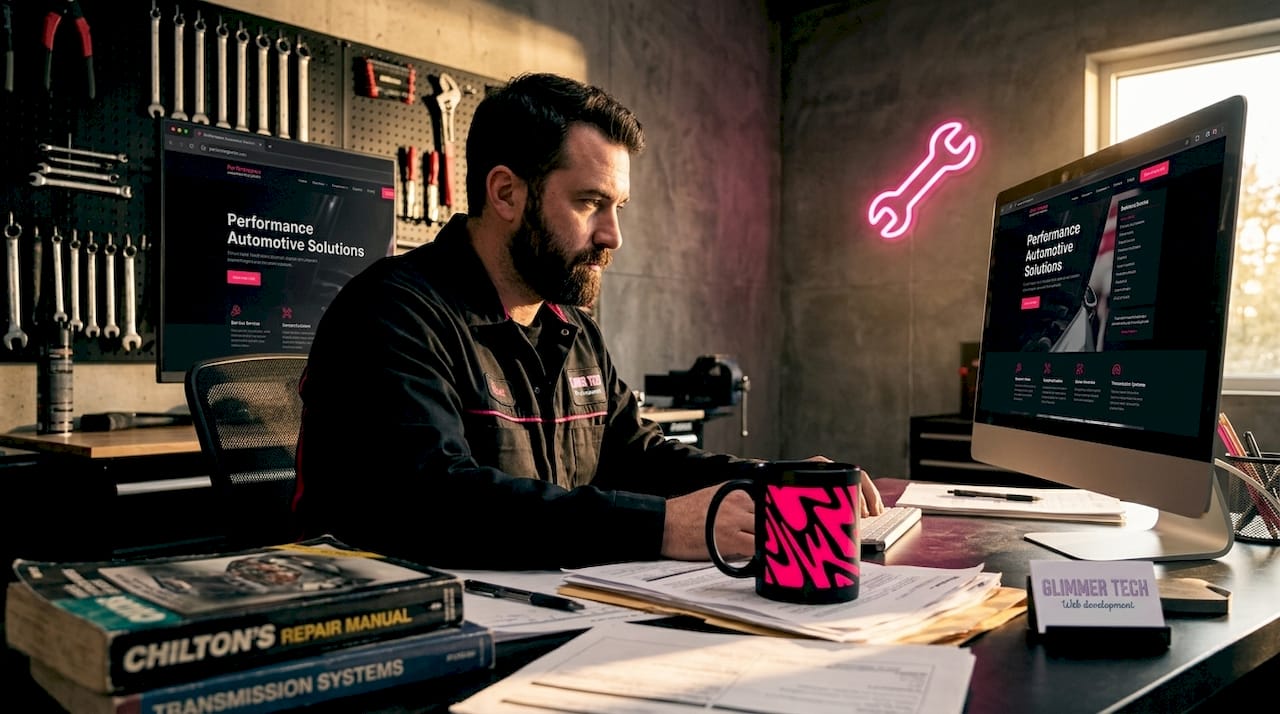
Your homepage does four jobs at once. It welcomes visitors, educates them on who you are, directs them to the right page, and pushes them toward action. Effective homepage structure enhances visitor engagement and channels traffic to the right service or booking path.
A strong auto shop homepage includes a clear headline stating what you do and where, a visible phone number and address above the fold, a primary call to action like "Book an Appointment," and quick links to your main services. Do not try to say everything here. The homepage is the front door, not the whole house.
2. Service overview page
This is the page that lists everything your shop offers in one place. Think of it as your menu. Customers use it to confirm you handle what they need before they look for your phone number. Group services logically: tires, brakes, oil changes, diagnostics, AC repair, and so on.
Keep descriptions short here. One to two sentences per service with a link to the full detail page. This page also helps search engines understand the scope of your business, which matters for ranking in your area.
3. Service detail pages
This is where most auto shops leave money on the table. Generic shops list "brake service" in one line. Shops that convert well dedicate a full page to brake service, explaining what is checked, what common problems look like, how long it takes, and what it typically costs. Each service detail page treated like a landing page improves both conversion and SEO.
Write each page for one specific service. Cover the problem it solves, what the process looks like, and rough pricing. Add a booking button at the bottom. This format answers the customer's question before they even pick up the phone, which is exactly when they are most likely to book.
4. Pricing page
Transparent pricing is one of the most effective trust signals an auto shop can put online. Showing pricing ranges for predictable services like oil changes and diagnostics sets clear expectations and reduces the number of "how much does it cost?" calls you field every day.
A realistic format shows a range rather than a fixed price. For example, conventional oil changes often run $29 to $39, while full synthetic runs $55 to $69. Diagnostic fees typically fall in the $75 to $95 range. You do not have to commit to exact numbers. Ranges work well and still give customers the context they need to feel comfortable calling. See examples of auto shop pricing pages to get a sense of how other shops present this clearly.
5. About us page
Customers choose mechanics they trust. Your about page is where that trust gets built before anyone walks in the door. When you write your auto shop about us page, cover three things: how long you have been in business, what your team's credentials are, and what makes your shop different from the chain down the street.
Examples of auto shop about pages that perform well include photos of the actual team (not stock photos), a short origin story, and a plain-English explanation of why you do what you do. Certifications like ASE matter here. List them. People notice.
6. Contact page
A contact page sounds simple. In practice, it is one of the most important pages on your site. The types of auto shop contact page elements that actually drive calls and visits include more than just a form. You need a clickable phone number, a physical address linked to Google Maps, your hours clearly listed, and ideally an embedded map.
Some shops add neighborhood-level information to their contact or locations page. Location pages improve local SEO by serving content relevant to customers near each specific address. If you have multiple locations, each one needs its own page with its own details, not a shared page with a dropdown menu.
7. Online booking page
An online booking page is not a luxury anymore. Customers expect to be able to schedule without calling. But the page only works if it reflects reality. Booking page UX loses conversions when it does not accurately reflect shop status like operating hours or minimum notice requirements.
Set up your booking tool to match your actual availability. If you need 24 hours notice for certain jobs, say so clearly. If you are closed Sundays, block it out in the calendar. A booking page that shows false availability will frustrate customers and generate no-show confusion that costs you real time.
Pro Tip: Add a short confirmation message or email after booking that tells the customer exactly what to expect when they arrive. It reduces calls and builds confidence before day one.
8. Testimonials page
Social proof closes the deal for customers who are on the fence. A dedicated testimonials page, or a well-placed reviews section, lets past customers speak for you. Before-and-after photos and client reviews establish trust and social proof for first-time visitors deciding between you and a competitor.
Do not just paste in five-star ratings. Use specific quotes that mention the type of work done, the service experience, and the outcome. "They fixed my brakes in two hours and the price was exactly what they quoted" does more than "Great service!" ever will.
9. Portfolio or gallery page
If your shop does specialty work like custom builds, paint correction, detachment, or collision repair, a portfolio page is non-negotiable. Even for general repair shops, a gallery showing a clean shop, a lift in use, and finished jobs communicates professionalism. Image optimization matters here since heavy image files slow pages down, which hurts both user experience and search rankings.
Use real photos. Label them with the make, model, and type of work. This also creates keyword-rich content that can help your pages rank for searches like "transmission rebuild [your city]."
10. Blog or FAQ page
A blog or FAQ section is your long-term SEO engine. It answers the questions your customers search before they ever need a mechanic, which puts your shop in front of them early. Topics like "how often should I rotate my tires," "what does a check engine light mean," and "how long does a brake job take" all have real search volume.
You do not need to post daily. One solid article per month builds meaningful traffic over a year. FAQs are even easier to maintain and can address shop-specific policies, pricing questions, and service explanations that come up repeatedly at the front desk.
How different pages compare on key criteria
Use this table to decide which pages to add next based on what matters most to your shop right now.
| Page | Primary purpose | SEO value | Conversion impact | Priority for new shops |
|---|---|---|---|---|
| Homepage | Welcome and direct visitors | Medium | High | Must have |
| Service overview | Show full service menu | Medium | Medium | Must have |
| Service detail pages | Rank for specific services | High | High | Must have |
| Pricing page | Build trust and reduce calls | Medium | High | Recommended |
| About us | Establish credibility | Low | Medium | Must have |
| Contact page | Enable contact and visits | Medium | High | Must have |
| Booking page | Accept online appointments | Low | Very high | Recommended |
| Testimonials | Provide social proof | Low | Medium | Add early |
| Portfolio/gallery | Showcase quality work | Medium | Medium | Add when relevant |
| Blog/FAQ | Attract organic traffic | High | Low to medium | Build over time |
Practical guidance for shops at different stages
Not every shop needs every page on day one. Here is how to sequence page builds based on where you are.
If you are launching a new site, prioritize the absolute core pages. Homepage, service overview, contact, and about us cover the basics and meet the expectations of most visitors. Core website structure for professional businesses requires these as a minimum, full stop.
Once the core is live, add service detail pages for your two or three most booked services. This is where your site starts to actually earn organic traffic. Then layer in a pricing page and a booking tool once those are working.
Over time, build out testimonials, a gallery, and a blog. These pages compound in value. A blog post written today can still bring in traffic two years from now without any additional work on your part. That is the kind of return that justifies the time investment.
- New shop: Homepage, services, about, contact
- Growing shop: Add service detail pages, pricing, and booking
- Established shop: Add testimonials, gallery, blog, and location pages
Pro Tip: If you are short on time, turn your most common customer questions into FAQ entries before writing full blog posts. It is faster to produce and still adds real SEO and trust value.
My take on what most auto shops get wrong
I have worked with enough small business owners to know that the service detail page is almost always the most neglected part of an auto shop website. Most shops build a single "Services" page, list everything in bullet points, and call it done. That page does not rank. It does not convert. It just sits there.
The shops I have seen actually grow from their websites are the ones treating each service like its own product with its own page, its own keywords, and its own call to action. That shift alone can change how a site performs in search results. It is not complicated. It just requires thinking through what a customer needs to know before they call.
Pricing pages are similarly underused. Many shop owners worry that showing prices will scare customers away. In my experience, the opposite is true. Customers who see a price range feel informed, not trapped. They call ready to book, not ready to negotiate. Transparency converts better than mystery.
The last thing I will say: your booking page is only as good as the information behind it. If your system shows open slots that do not exist, or if your hours are wrong, booking UX failures cost you real customers in real time. Keep it accurate. Check it monthly.
— Annie
Build your auto shop website the right way
Your website should work as hard as your team does. At Glimmer Tech, we build auto shop websites that go beyond looking professional. We design pages that rank, convert, and make it easy for customers to choose your shop over everyone else in your area.
Whether you need a full site built from the ground up or want to add a booking system and service pages to what you already have, Glimmer Tech handles the strategy and the build. Our auto shop web design services are built around what actually drives appointments, not just what looks good in a mockup. If you are ready to build a site that brings customers in, reach out and let us put the right pages in place for your specific shop.
FAQ
What pages does every auto shop website need?
Every auto shop site needs a homepage, service overview, individual service detail pages, a contact page, and an about page. These five cover the basics customers expect and give search engines enough content to rank your shop locally.
How do I write an auto shop about us page?
Focus on three things: how long you have been in business, your team's credentials like ASE certifications, and what makes your shop different. Include real photos of your team and keep the language direct and plain.
Should auto shops show pricing on their website?
Yes. Showing price ranges for common services like oil changes and diagnostics reduces price-shopping calls and builds trust. Customers who see transparent pricing arrive ready to book rather than ready to negotiate.
What should a booking page include?
Your booking page needs accurate shop hours, a list of bookable services, minimum notice requirements, and a clear confirmation message after the appointment is set. Inaccurate availability is the most common reason booking pages fail to convert.
How does an auto shop blog help with SEO?
A blog builds organic search traffic by answering questions customers search before they need a mechanic. Topics like tire rotation schedules or check engine light meanings attract early-stage searchers and bring them to your site before competitors do.